
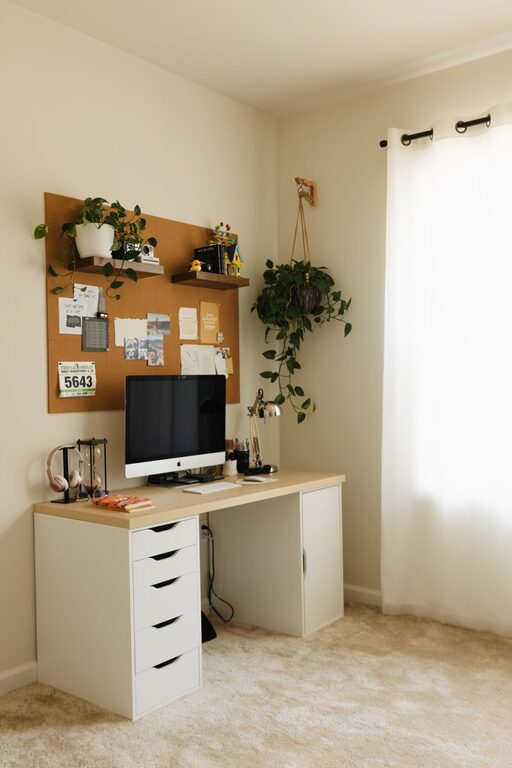
Creating a cozy and productive home office is essential for anyone working from home. A well-designed workspace can boost your focus, reduce stress, and make your workday more enjoyable. Whether you have a dedicated room or a small corner, these tips will help you set up an office space that balances comfort and efficiency.
Choose the Right Location
Finding the best spot for your home office sets the foundation for productivity.
– Natural Light: Pick a space near a window if possible. Natural light improves mood and reduces eye strain.
– Quiet Area: Choose a location with minimal noise and distractions to stay focused.
– Separate Space: Ideally, avoid working in areas associated with relaxation, like your bedroom or living room, to help separate work from leisure.
Invest in Comfortable Furniture
Comfort plays a huge role in how long and how well you work.
– Ergonomic Chair: Select a chair that supports your back and encourages good posture.
– Proper Desk Height: Use a desk that suits your height, allowing your arms to rest comfortably at a 90-degree angle while typing.
– Flexibility: Consider adjustable furniture like sit-stand desks to change positions during the day.
Optimize Lighting
Proper lighting reduces eye fatigue and keeps you alert.
– Layered Lighting: Combine natural light with overhead and task lighting.
– Desk Lamps: A clear, adjustable desk lamp helps when working on detailed tasks.
– Avoid Glare: Position screens and lights to prevent reflections and bright spots.
Keep Your Workspace Organized
An organized desk helps maintain focus and reduces stress.
– Declutter Regularly: Clear unnecessary items off your desk daily.
– Storage Solutions: Use drawers, shelves, or filing cabinets to keep documents and supplies tidy.
– Cable Management: Use clips or sleeves to prevent cords from tangling.
Personalize Your Space
Adding personal touches can make your office feel welcoming.
– Plants: Indoor plants improve air quality and add life to the space.
– Artwork: Hang inspiring art or motivational quotes to boost your mood.
– Color Choices: Choose calming colors like blues or greens to create a peaceful environment.
Use Technology Wisely
Equip your office with tools that support your work routines.
– Reliable Internet: Ensure a steady connection to avoid disruptions.
– Noise-Cancelling Headphones: These are useful for blocking out background noise.
– Productivity Apps: Use apps for task management and time tracking to stay organized.
Establish Boundaries and Routine
Mental separation between work and personal life improves productivity.
– Set Work Hours: Maintain a schedule similar to an office environment.
– Designate Break Areas: Step away from your workspace during breaks to recharge.
– Communicate: Inform family or housemates about your work schedule to minimize interruptions.
Add Comfort and Relaxation Elements
Small comforts can make your office feel cozy.
– Soft Textiles: Use cushions or rugs for warmth and comfort.
– Temperature Control: Keep the room at a comfortable temperature, using fans or heaters if needed.
– Music or White Noise: Some people find background sounds help concentration.
Regularly Refresh Your Space
Keep your workspace inviting by making small updates.
– Seasonal Decor: Change decorations or colors to match seasons or holidays.
– Rearrange Furniture: Shift your furniture layout occasionally to keep things fresh.
– Replace Worn Items: Update your chair or keyboard when necessary for continued comfort.
—
By thoughtfully setting up your home office, you create a space where you can work efficiently and feel at ease. Use these tips to design a cozy environment that supports your best work every day.