
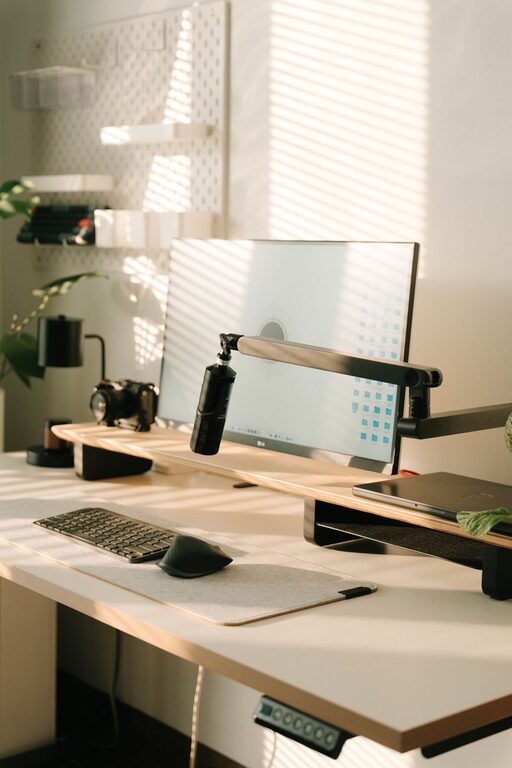
Creating a cozy and functional home office space is essential for anyone working remotely or needing a dedicated area for tasks and creativity. A well-designed office can boost productivity, reduce stress, and make working from home more enjoyable. Whether you have a small nook or an entire room to dedicate, these tips will help you set up an office that feels just right.
Choose the Perfect Location
Selecting the right spot in your home is the first step toward an effective office space.
– Lighting matters: Opt for a space with plenty of natural light. Position your desk near a window if possible to enjoy daylight, which helps reduce eye strain and improve mood.
– Minimize distractions: Find a quiet area away from high-traffic zones like the kitchen or living room.
– Consider privacy: If you share your home, choose a space where you can close the door or use room dividers.
Invest in Comfortable and Practical Furniture
Your furniture choices directly affect your comfort and efficiency.
– Ergonomic chair: A supportive chair that adjusts to your height and posture prevents back pain.
– Appropriate desk: Choose a desk with enough surface area for your computer, supplies, and workspace.
– Storage solutions: Use shelves, filing cabinets, or drawers to keep your desk clutter-free.
Personalize Your Space with Thoughtful Decor
Adding personal touches can make your office feel inviting without compromising focus.
– Choose warm colors: Soft neutrals, muted blues, or earthy tones create a calming atmosphere.
– Add greenery: A few plants improve air quality and add life.
– Incorporate artwork: Hang inspiring prints or photos that motivate you.
Organize for Efficiency
An organized office helps you concentrate and saves time.
– Use organizers: Desk organizers, trays, and baskets keep supplies within reach.
– Cable management: Use clips or sleeves to keep cords tidy and prevent tangling.
– Label storage: Label files and containers to find things easily.
Optimize Technology and Lighting
Your equipment and lighting setup contribute to a smooth workday.
– Reliable internet: Make sure your workspace has strong Wi-Fi or access to wired connections.
– Good lighting: Combine natural light with adjustable desk lamps to reduce eye strain.
– Essential gadgets: Invest in a quality keyboard, mouse, and headset if needed.
Create a Routine-Friendly Environment
Your space should support your work habits.
– Define zones: If space allows, designate areas for different tasks like computer work, reading, or brainstorming.
– Keep comfort at hand: Have water, snacks, and other necessities nearby to avoid interruptions.
– Set boundaries: Use your office only for work during office hours to maintain work-life balance.
Maintain Your Workspace Regularly
Keeping your office clean and organized keeps it cozy and functional.
– Daily tidying: Spend a few minutes at the end of each day putting things away.
– Weekly deep clean: Dust surfaces, clean electronics, and refresh plants.
– Update your layout: Occasionally reassess your setup to improve comfort or efficiency.
Helpful Tips for Small Spaces
Limited room? No problem—we have ideas to maximize your office area.
– Fold-down desks or wall-mounted tables save floor space.
– Use vertical storage with tall shelves or pegboards.
– Multifunctional furniture, such as ottomans with storage, helps reduce clutter.
– Clear furniture (like acrylic chairs) visually open up the space.
Final Thoughts
Designing a cozy and functional home office doesn’t require a big budget or a large room—just thoughtful planning and attention to your needs. By focusing on comfort, organization, lighting, and personalization, you can create a workspace that helps you stay focused and inspired every day. Remember, the best home office is one that fits your lifestyle and supports your goals. Happy decorating!