
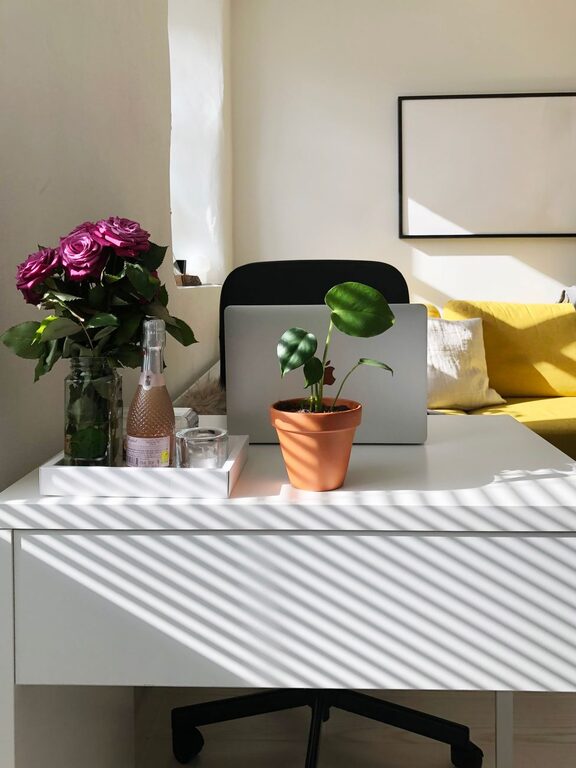
Creating a comfortable and productive workspace at home is essential for anyone working remotely or spending long hours on projects. A cozy home office not only improves your focus but also boosts your overall well-being. In this blog post, we’ll explore practical tips to set up and maintain a workspace that feels welcoming and motivates you throughout the day.
Why a Cozy Home Workspace Matters
Having a dedicated area that blends comfort with functionality can have a significant impact on your work performance. When your workspace feels inviting, you’re more likely to stay focused, experience less stress, and maintain a healthy work-life balance. Comfort doesn’t mean just having a comfy chair; it’s about creating an environment that supports your workflow and feels uniquely you.
Choosing the Right Location
Your workspace should be located in a spot that minimizes distractions and maximizes natural light.
– Pick a quiet corner: Choose a spot away from noisy areas like the kitchen or living room, where household activities can interrupt your concentration.
– Harness natural light: Sunlight improves mood and reduces eye strain. Position your desk near a window for the best light, but avoid glare on your screen.
– Consider privacy: If possible, use a room or nook where you can close the door for uninterrupted work sessions.
Invest in Ergonomic Furniture
Comfortable furniture is the foundation of a cozy home office.
– Supportive chair: Select a chair with adjustable height, good lumbar support, and comfortable cushioning to maintain proper posture.
– Desk height: Your desk should allow your arms to rest comfortably at a 90-degree angle while typing.
– Footrest: If your feet don’t touch the floor when sitting, use a footrest to improve circulation and prevent discomfort.
Personalize Your Space
Adding personal touches can make your workspace feel more inviting and less clinical.
– Decor and art: Hang pictures, artwork, or motivational quotes that inspire you.
– Plants: Incorporate greenery to freshen the air and boost your mood.
– Colors: Choose calming or energizing colors based on your preference. Soft blues or greens promote calm, while yellows and oranges can increase energy.
Organize for Efficiency
A clutter-free workspace leads to clearer thinking and better productivity.
– Storage solutions: Use shelves, drawers, or containers to keep supplies neatly stored.
– Cable management: Use cable clips or sleeves to keep cords tidy and prevent tangles.
– Desk accessories: Keep only essentials on your desk to avoid distractions.
Optimize Lighting
Good lighting reduces eye strain and helps maintain alertness.
– Layer lights: Combine overhead lighting with task lamps focused on your work area.
– Adjust brightness: Use adjustable lamps so you can control light levels throughout the day.
– Avoid screen glare: Position lights to reduce harsh reflections on your computer screen.
Incorporate Comfort Features
Small comforts can make long workdays easier.
– Soft textiles: Add a cozy rug, cushioned seat pads, or a soft throw blanket.
– Temperature control: Use a fan or heater as needed to keep the space comfortable.
– Sound management: Consider noise-canceling headphones or white noise machines to block distractions.
Establish a Routine and Boundaries
Your physical space works best when paired with a clear routine.
– Set work hours: Define when you start and end your workday to maintain balance.
– Take breaks: Step away regularly to stretch, hydrate, and rest your eyes.
– Separate work and leisure: Avoid working in bed or on the couch to keep your mind in “work mode.”
Technology and Tools
Equip your workspace with tools that help rather than hinder.
– Reliable internet: Ensure strong Wi-Fi or a wired connection for smooth communication.
– Quality peripherals: Invest in a good keyboard, mouse, and monitor to reduce strain.
– Backup plans: Use surge protectors and have backup storage to safeguard your work.
Keep It Fresh and Inspiring
Change your workspace periodically to keep it interesting.
– Switch up decor: Rotate artwork or change colors seasonally.
– Declutter regularly: Set a weekly time to tidy and reorganize.
– Add new tools: Introduce new organizational items or gadgets that make working easier.
Final Thoughts
Designing a cozy home workspace is about balancing comfort and productivity. By choosing the right location, investing in ergonomic furniture, personalizing your environment, and staying organized, you can create a space that encourages focus and creativity. Remember, small changes can have a big impact on how you feel about your workday. Take the time to build a workspace that supports both your professional goals and your personal comfort.